Experience Minion Park on a whole other level with the official app!
By connecting to the app for Illumination’s Villain-Con Minion Blast, you can customize your blaster and track your score! Enjoy Minion Park more with the official app!
Notes on Using the Official App
For the safety of yourself and others, we strictly prohibit operating your smartphone while in motion. Always be aware of your surroundings when using your smartphone. Thank you for your cooperation.
Connect with Illumination's Villain-Con Minion Blast
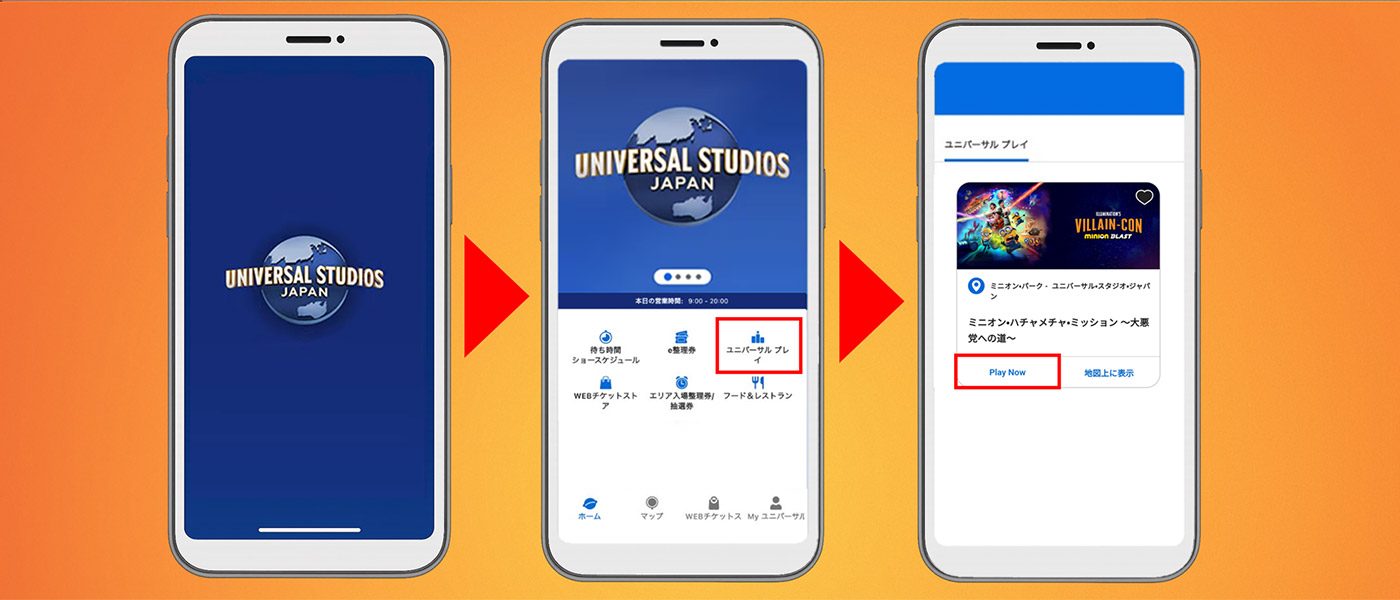
Step 1: Open the official app
Open the official app, select “Universal Play” from the home screen, and tap “Play Now” for Illumination’s Villain-Con Minion Blast.
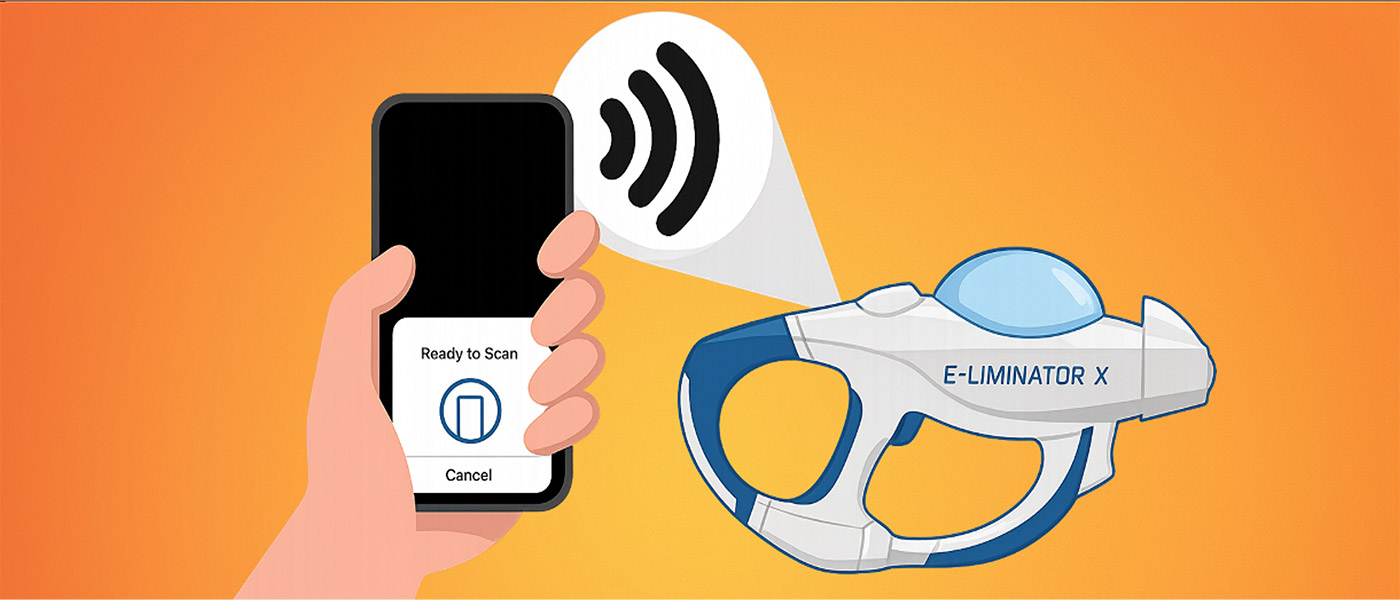
Step 2: Sync the blaster
After receiving the blaster, tap “SYNC BLASTER” on the app. Tap your smartphone on the blaster symbol.
How to Connect to Free Wi-Fi
Free Wi-Fi is available anywhere in the Park.
Frequently Asked Questions
What are the minimum system requirements for the app?
- Official iPhone application requires iOS17.0 or later.
- Official Android application requires Android 9.0 or later.
* Minion Park app functions are not available for some devices. Thank you for your understanding.
Can guests enjoy Minion Park without the mobile app?
The official app is not required to enjoy the area. Check your scores and play details at available checkpoints.
Is there an extra charge for the mobile app?
The official app can be downloaded for free.
* A network connection is required to download and use the app.
How do I sync the official App with Illumination's Villain-Con Minion Blast?
After receiving the blaster, tap “SYNC BLASTER” on the app, then tap your smartphone on the blaster symbol. If you have any questions, please ask a crew member in the attraction.
Scores are not reflected in the app.
Depending on network conditions, your data may take time to update within the official app. Check again later, or try restarting the app.
Blasters cannot be synchronized.
Only NFC-enabled models can synchronize blasters. The location of the NFC device varies depending on the device, so please check the NFC location of your smartphone in advance. If you have any questions, please ask a crew member in the attraction.
I am unable to register my player name.
There are some restrictions on the registration of player names. You cannot change the name to one that has already been registered by another player or to one or more unregistrable names. If you get an error, try registering another name within 3 to 14 characters. Also, the player name is published in the ranking information on the official app. Please do not register a player name that is personally identifiable or contains inappropriate expressions.
Can I change my player name?
You can change the player name, player icon, and background from “Current Player Settings” in “Settings”.
Do we need smartphones and apps for the number of people?
App can register up to 5 players on a single smartphone. Please add players from “Add new player” on the settings screen. To synchronize blasters, tap the icon and change the player before synchronizing.
What is “Ranking”?
In Ranking, you can check the score and rank of the attractions. Tap “Refresh” to see the latest information.
Is blaster customization always required?
You can experience the attraction even if you do not customize your blaster.
Can guests change the language of the app?
The language of the official app depends on the language of your smartphone. If your system language is any language other than Japanese, the app will be displayed in English.